#Links
Declare static destinations on the agent that may hand them out, as the
links of an update_agent call (Agents):
{ "workspace": "acme", "links": { "help": "https://acme.com/help", "product": { "url": "https://acme.com/products/{category}", "when": "The visitor wants to browse a product category.", "values": { "category": ["picking", "packing", "sorting"] } }, "support": { "url": "https://wa.me/56912345678", "when": "The visitor wants to talk to a person.", "button": true } }}links replaces every link the agent had, so pass the whole set.
A value can be a URL string or an object with url, optional when,
values for every placeholder, and optional button. URLs must be absolute
HTTP or HTTPS URLs. Placeholder values use letters, digits, ., _, ~, or
-.
Vatio expands every combination when the agent is saved, with a limit of 100 URLs. Use a tool for dynamic destinations or larger catalogs. Links returned by a tool are allowed for the rest of that conversation.
A URL written straight into instructions is shareable too, so a one-off
mention needs no entry here. links remains the better place for a
destination the agent should actually offer: it carries a when that tells
the agent when to reach for it, it expands placeholders, and it can make the
link a button.
Which URLs a reply may carry at all is enforced by the safeguards.
#Buttons
A link with button: true goes out as a button instead of as a URL. The
agent writes it as a Markdown link on a line of its own at the end of its
reply, and the link's text becomes the button's text:
I can put you through to the team.
[Talk to support](https://wa.me/56912345678)
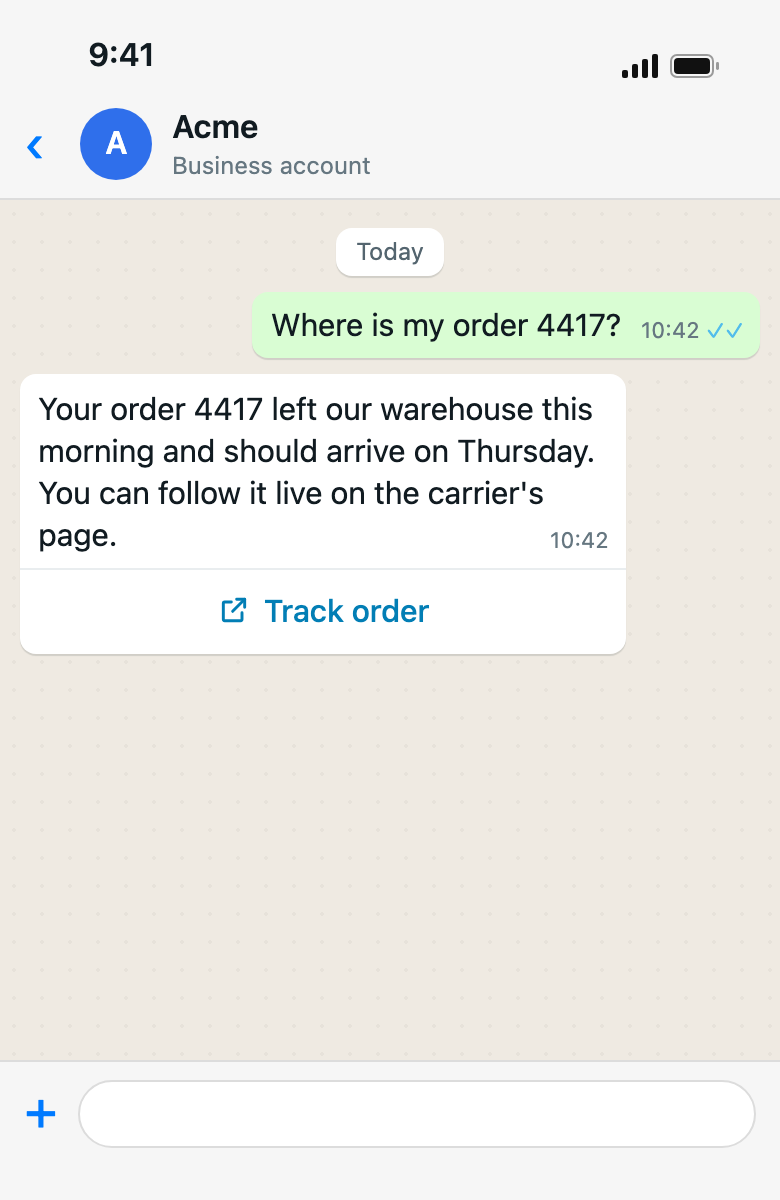
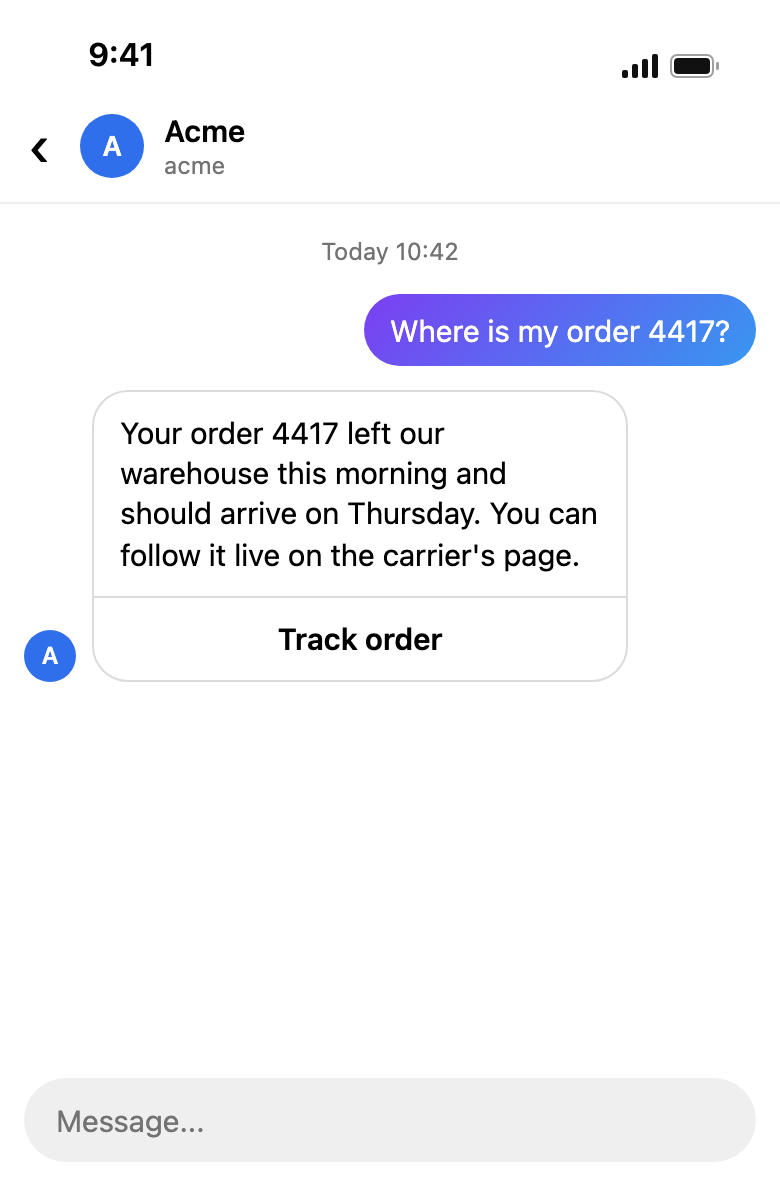
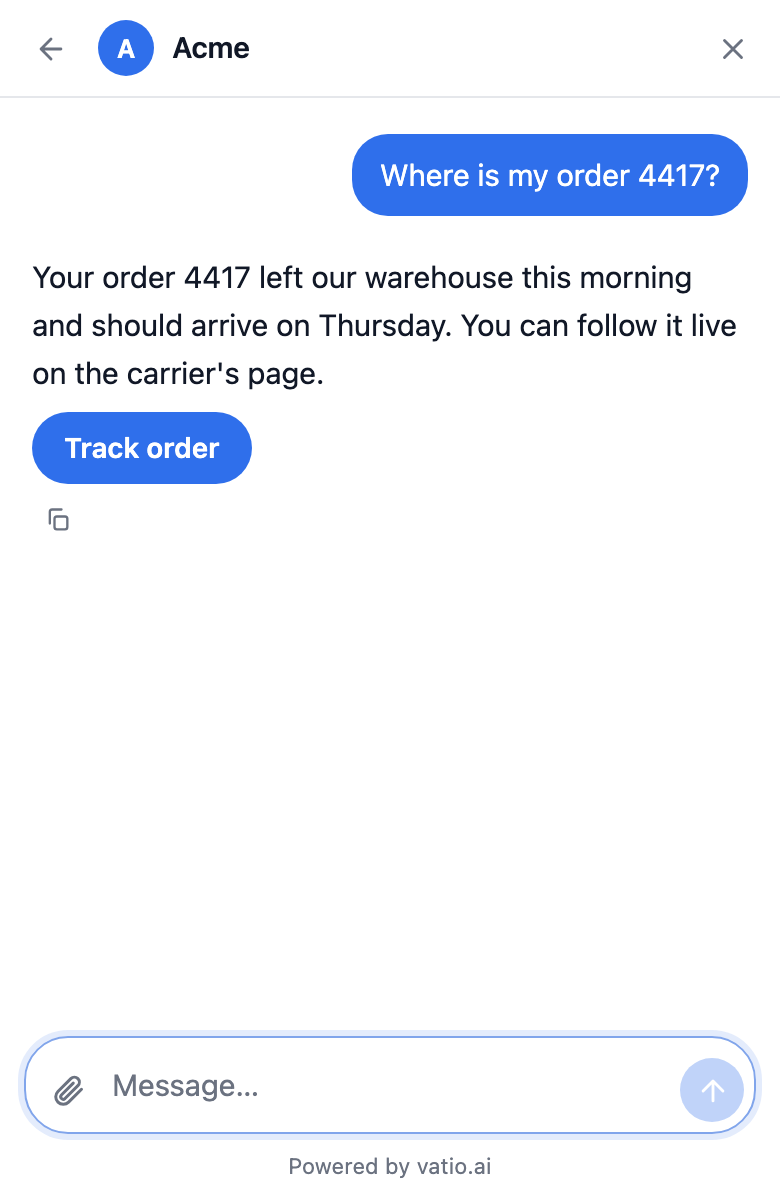
A reply whose button is a tracking page a tool returned, as the visitor sees it on each channel:
| Where | What the visitor gets |
|---|---|
| An interactive message: the reply's text without the link, and one button under it that opens the URL | |
| Meta's button template: the reply's text and one button. A private reply to a comment is text only, so there the link is written out | |
| Web widget | The reply's text and a button under it, which opens the URL in a new tab |
| Your app | The message's buttons field |
The agent writes the button's text, in the visitor's language, so it can say what the button does ("Book with Ana"). WhatsApp and Instagram show at most 20 characters of it. The agent is told to keep within that; a longer text stays in the message, above a button labelled "Open link" in the visitor's language. A link written as a bare URL instead of a Markdown link is still a button, with that label.
A reply carries one button: the first button link in it. Any other link stays
in the text. On WhatsApp and Instagram a reply longer than the channel allows
beside a button (1,024 characters on WhatsApp, 640 on Instagram) goes out as
text, with the link written as text: url.
A button is never a way past the link allowlist: only a URL declared here or returned by a tool can be one, and the reply is checked before it is sent.
In the inbox, the reply shows as the visitor got it: its text, and the button under it.
#A URL a tool returns
For a destination that changes per conversation, such as the booking page of
the professional the visitor chose, have a tool return the URL and name its
field in respond.buttons. See Response mapping.
The button's text is still the agent's, so it can name what the tool returned.
#In your app
Every message in the browser SDK, the public API, the
server API and the data.message of a
webhook carries buttons, a list that is empty when
there is none:
{ "id": 9877, "role": "assistant", "content": "I can put you through to the team.\n\n[Talk to support](https://wa.me/56912345678)", "buttons": [ { "type": "url", "title": "Talk to support", "url": "https://wa.me/56912345678" } ]}content keeps the link as the agent wrote it, so a client that draws no
buttons still shows it. To draw them, show the text without their links and a
button per entry under it. Every SDK gives you that text, the way the widget
takes the link out: the line it is on goes when nothing else is on that line,
and a link inside a sentence leaves its words.
| SDK | The buttons | The text without their links |
|---|---|---|
| Browser (3.6.0) | message.buttons | textWithoutButtons(message) |
| iOS (0.5.0) | message.buttons | message.textWithoutButtons |
| Android (0.3.0) | message.buttons | message.textWithoutButtons |
| Flutter (0.2.0) | message.buttons | message.textWithoutButtons |
An earlier SDK version leaves the link in content, as a Markdown link.
type is url today; skip a type you do not know.
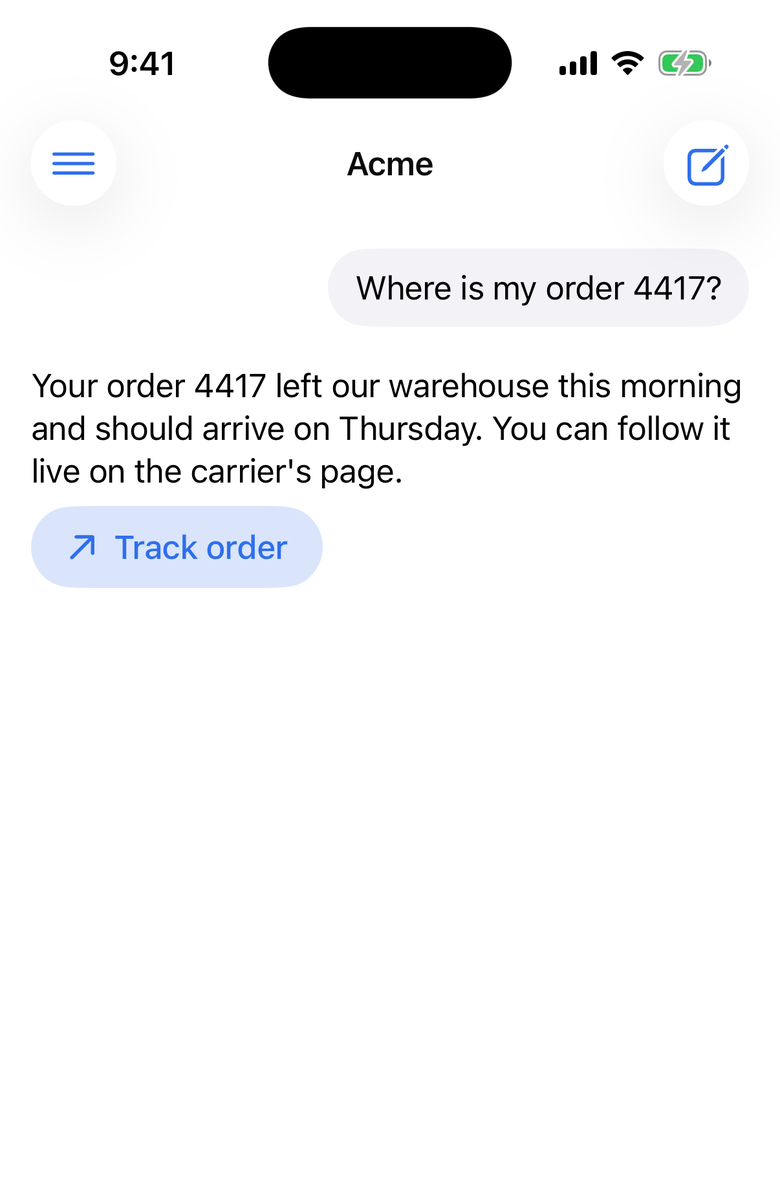
Vatio Chat, the open-source iOS
app in the photo above, draws them, and so does
Vatio Chat for Android.